With an office plan: free
Tap “My office already has PerioMaxer” in the app. No in-app purchase; you chart straight into the office computer.

Speak chart entries, see them land in the selected cells, and keep the cursor moving through the chart order your workflow uses.
Tap “My office already has PerioMaxer” in the app. No in-app purchase; you chart straight into the office computer.
A separate subscription inside the app unlocks standalone charting. Charts are kept in the app, no office computer needed.
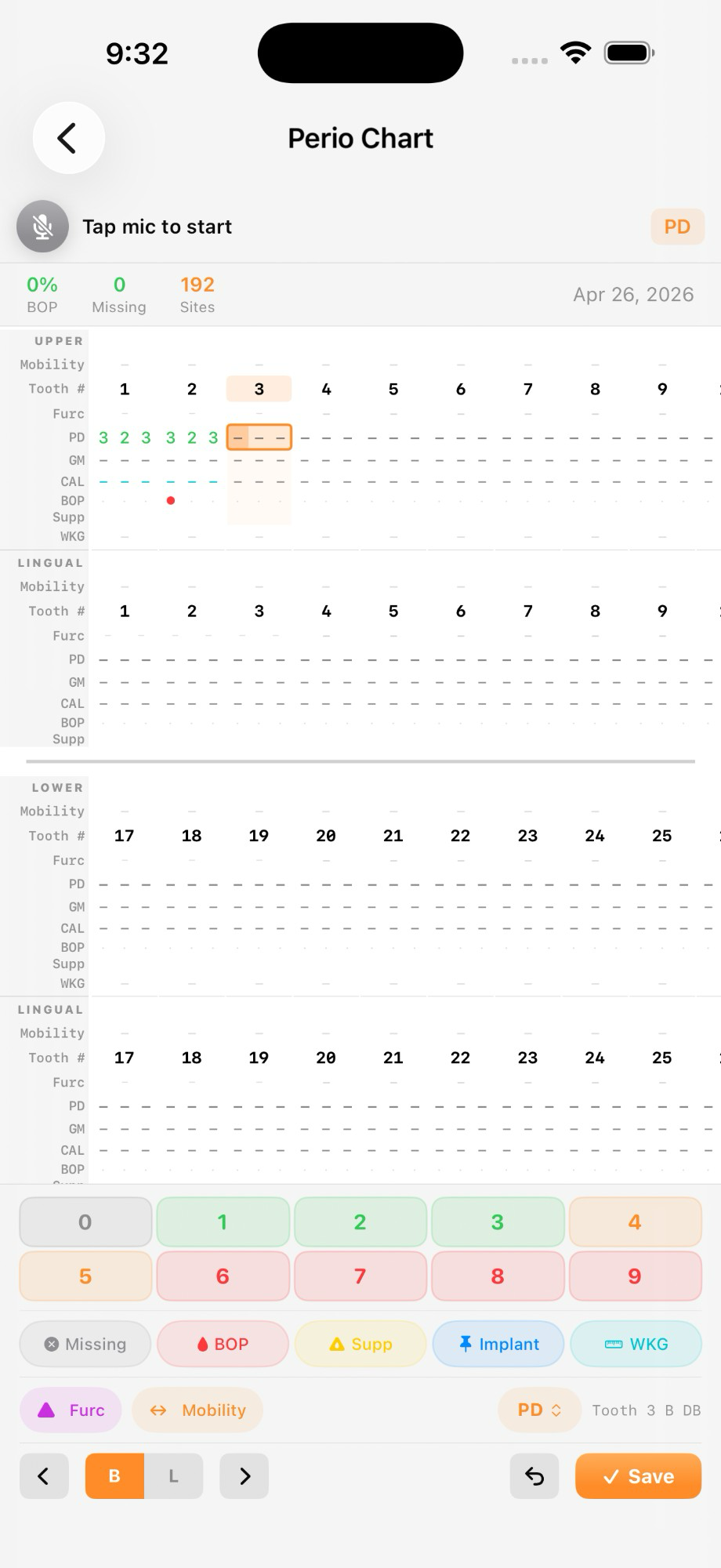
Record probing depths, margins, flags, mobility, furcation, plaque, and navigation commands without leaving the chart.
Choose a built-in order or configure a workflow that matches how the office charts.
Hear the tooth number and values repeated after entry. Read-back repeats the record; it does not interpret it.
Scan the code on an operatory computer to connect, then transfer chart entries over the local network.
See the desktop pairing workflow, per-computer plans, and how licensing follows the office.
Explore Office Linked modeRecord-keeping onlyPerioMaxer records and transfers values entered by a dental professional. It does not diagnose, interpret charted values, recommend treatment, or replace review of the chart of record.